
Roles & Permissions
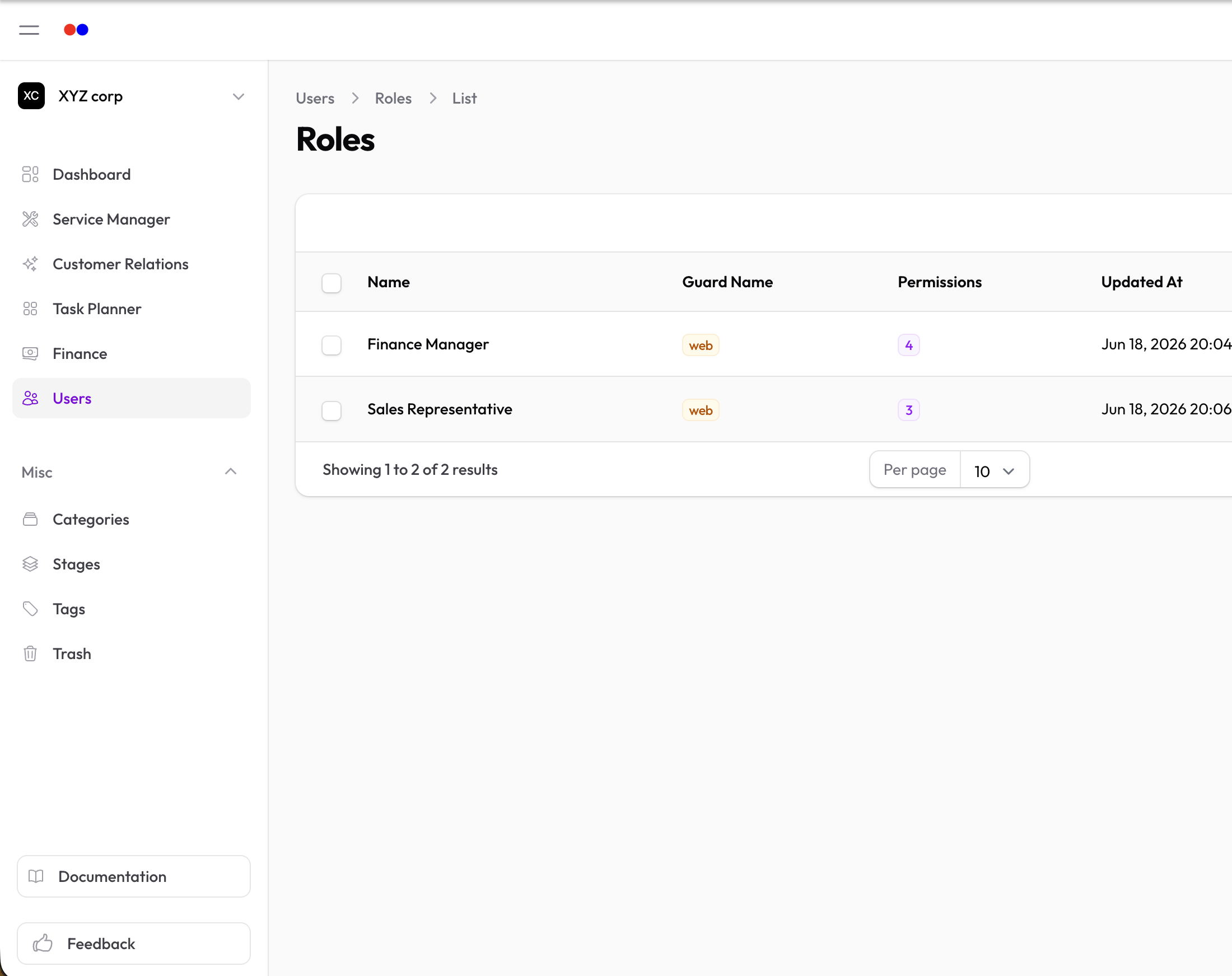
Roles and permissions control what users can see and do in the system. Each role bundles a set of permissions that can be assigned to users.
How It Works
| Concept | Description |
|---|---|
| Permission | A specific action (e.g., "view invoices", "create services") |
| Role | A collection of permissions (e.g., "Sales Manager", "Support Agent") |
Users are assigned roles, and those roles grant them permissions.
Organization-Scoped Roles
Roles are scoped to your organization. This means:
- A user can have different roles in different organizations
- Role assignments only apply within your organization
- Permissions are checked against the current organization context
Assigning Roles to Users
- Go to Users → Users
- Find the user and click Edit
- In the Roles section, check the roles to assign
- Save changes
A user can have multiple roles. Their effective permissions are the combination of all assigned roles.
Common Role Examples
| Role | Typical Permissions |
|---|---|
| Administrator | Full access to all features |
| Manager | View and manage most records, limited settings access |
| Sales | Manage accounts, contacts, leads, deals |
| Support | Manage tickets, view contacts |
| Finance | Manage invoices, transactions, financial reports |
| Viewer | Read-only access to records |
Permission Categories
Permissions are typically organized by resource:
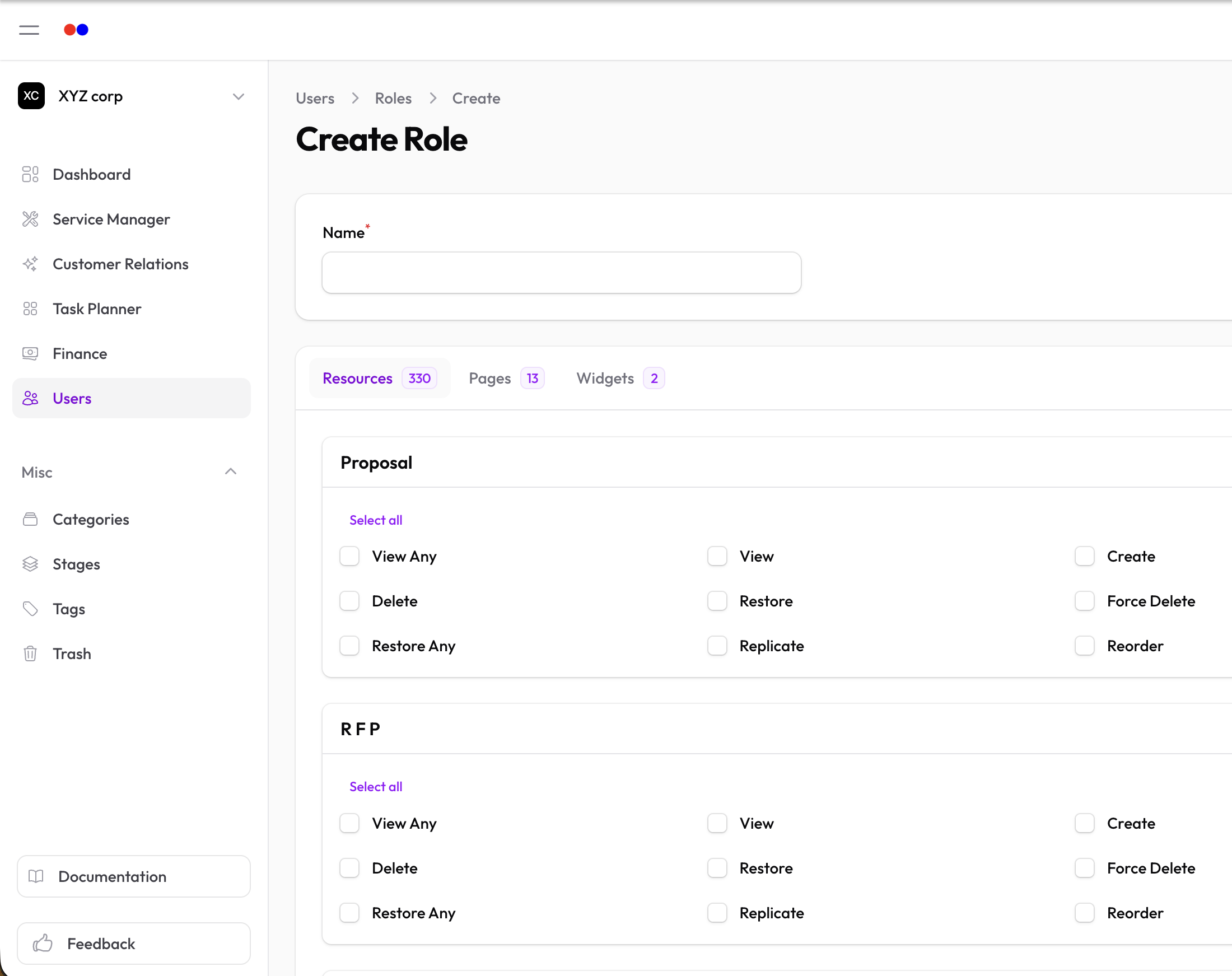
- View — See records and details
- Create — Add new records
- Update — Edit existing records
- Delete — Remove records
For example, the "Services" resource might have:
view_servicecreate_serviceupdate_servicedelete_service
Managing Roles
Roles are managed through the Shield plugin. Administrators can:
- Create new roles
- Define which permissions each role includes
- Assign roles to users
Best Practices
- Use roles, not individual permissions — Assign roles to users rather than individual permissions for easier management
- Principle of least privilege — Give users only the permissions they need
- Review regularly — Periodically audit role assignments
- Name roles clearly — Use descriptive names that reflect the job function