
Service Requests
Service Requests track when clients request your services. Each request follows a lifecycle from submission to completion.
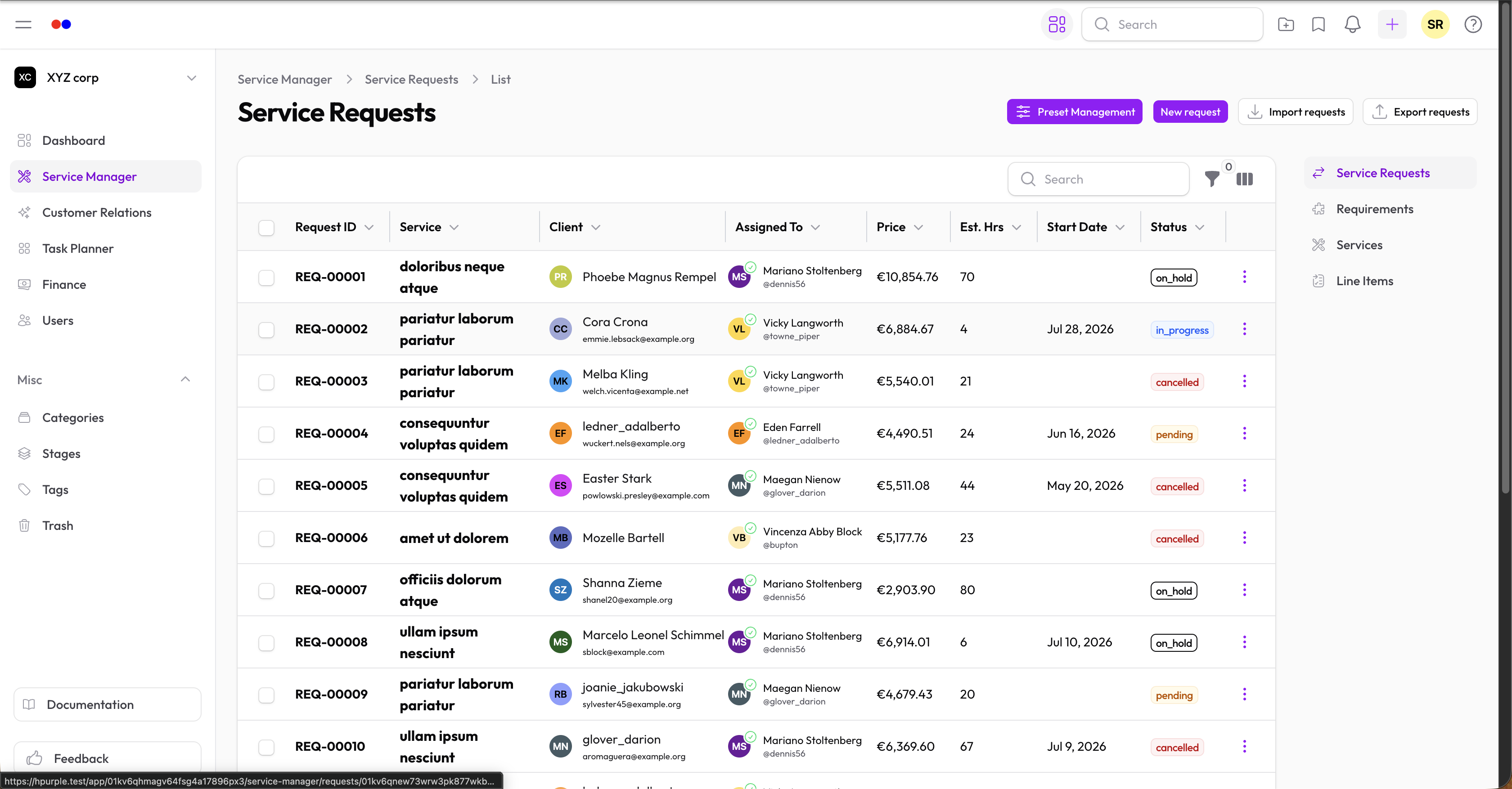
Request Lifecycle
| Status | Meaning |
|---|---|
| Pending | Request received, not started |
| In Progress | Work has begun |
| Completed | Successfully fulfilled |
| Cancelled | Request cancelled |
| On Hold | Temporarily paused |
Creating a Request
- Go to Service Manager → Service Requests
- Click New Request
- Fill in:
- Service — Which service is being requested
- Client — The user or contact requesting it
- Assignee — Team member handling this request
- Stage — Current workflow stage
- Status — Current status
- Notes — Internal notes
Line items and requirements are automatically copied from the selected service. You can modify these to fit the specific request—add, remove, or adjust quantities as needed.
Managing Requests
Filtering
Use filters to find specific requests:
- By service, stage, or assignee
- By status
- By date range
- By price range
Updating Status
- Open the request
- Click Edit
- Change the Status field
- Save
Updating Stage
As work progresses, update the stage to track workflow:
- Edit the request
- Select the new Stage
- Save
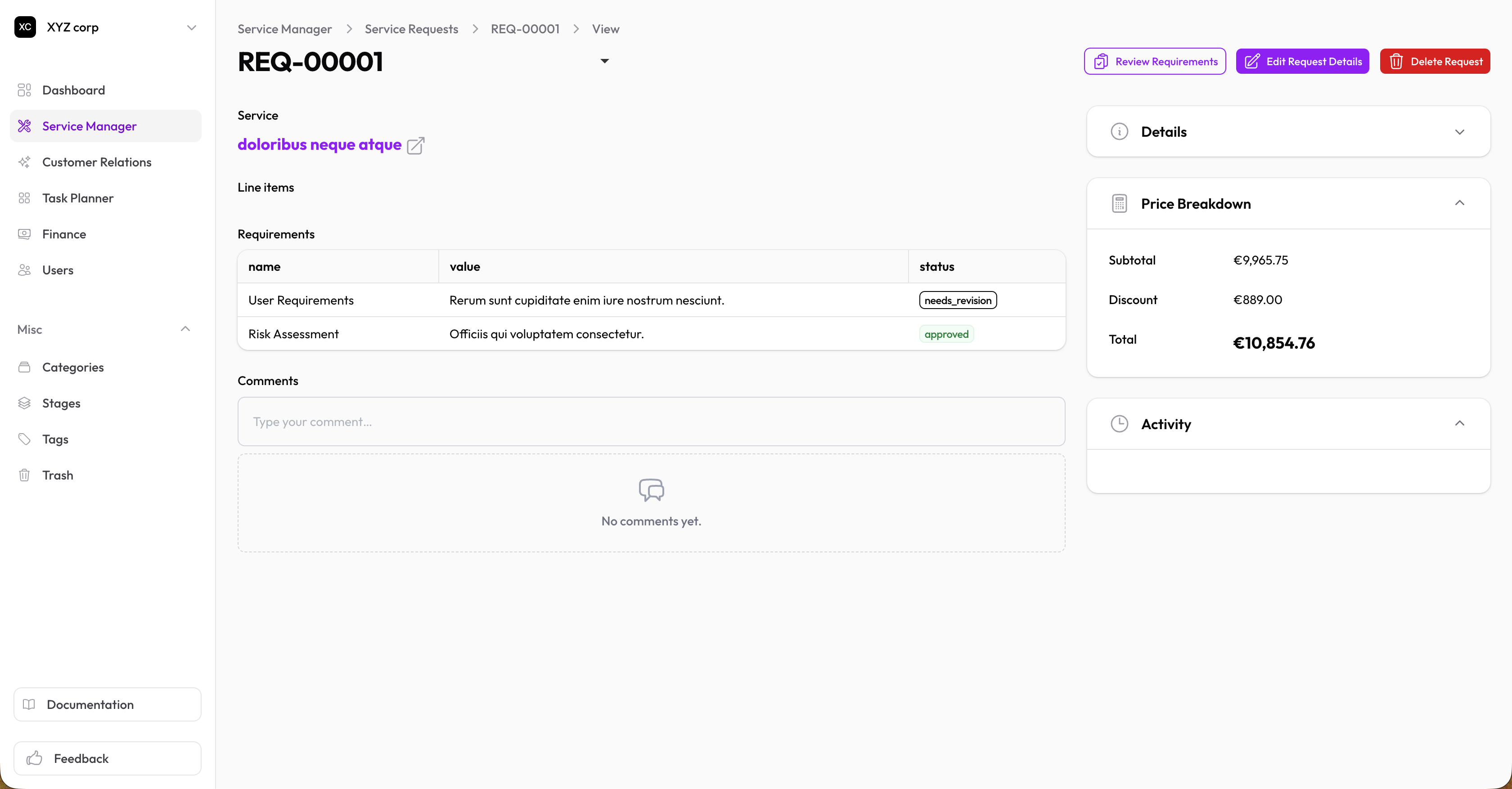
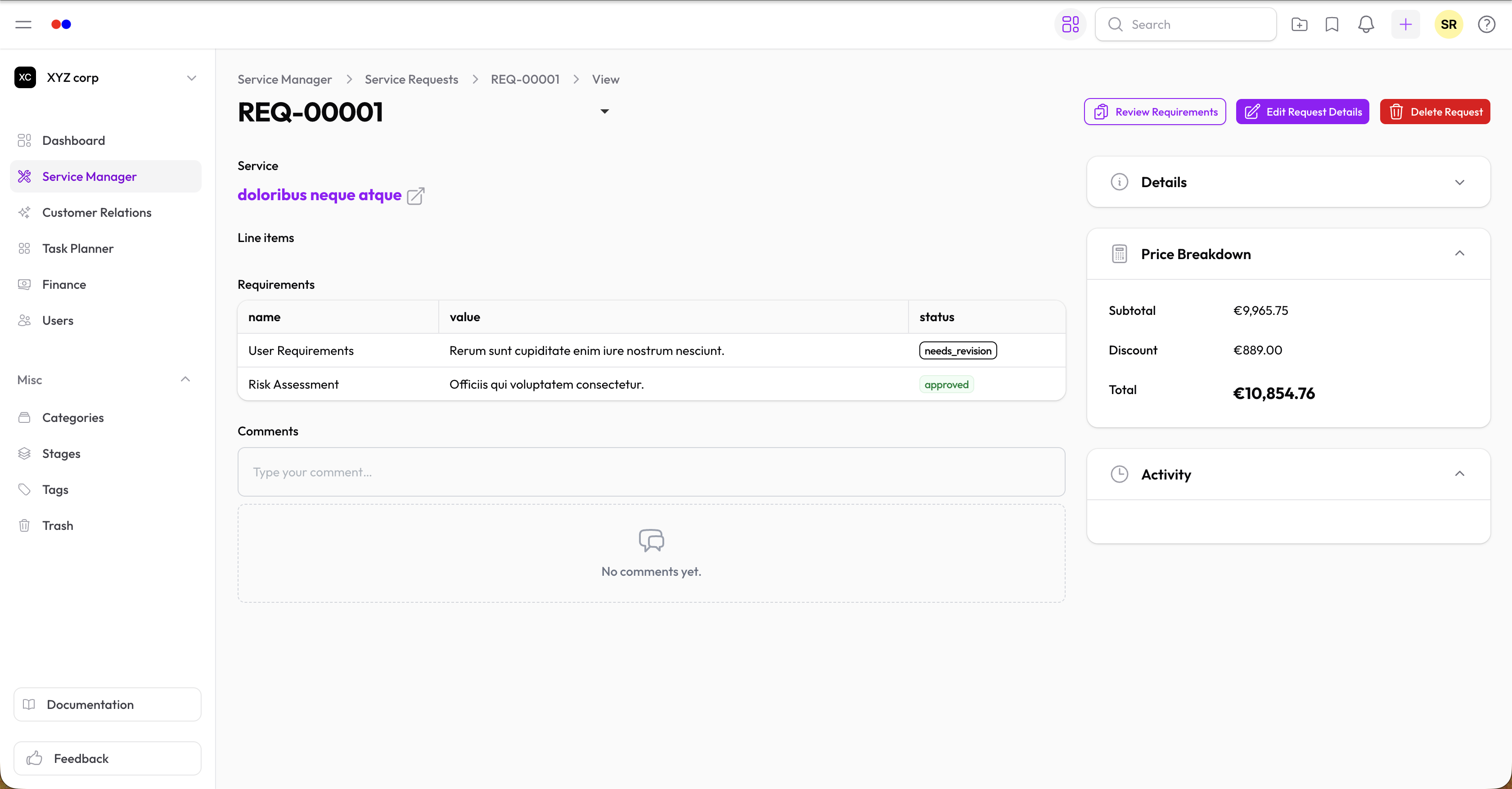
Managing Requirements
Requirements are copied from the service but can be modified for each request:
- Add additional requirements specific to this request
- Remove requirements that don't apply
- Update statuses as clients submit them
Requirement statuses:
- Pending — Awaiting client submission
- Submitted — Client has provided it
- Approved — Verified and accepted
- Rejected — Needs resubmission
Adjusting Line Items
Line items are also copied from the service and can be customized:
- Add extra line items for this request
- Remove items that don't apply
- Change quantities as needed
The total price updates automatically based on your changes.
Attachments
Upload files related to the request in the Attachments section.
Comments
Use comments to log notes, progress updates, or internal communication.
Due Date Reminders
If a request has a Due Date set, the assignee is notified automatically:
- One day before the due date ("due soon")
- Once it's overdue, and again roughly weekly for as long as it stays overdue
Reminders stop once the request is marked Completed or Cancelled.
Deleting a Request
Requests are soft-deleted (moved to Trash). You can restore them later.