
Requirements
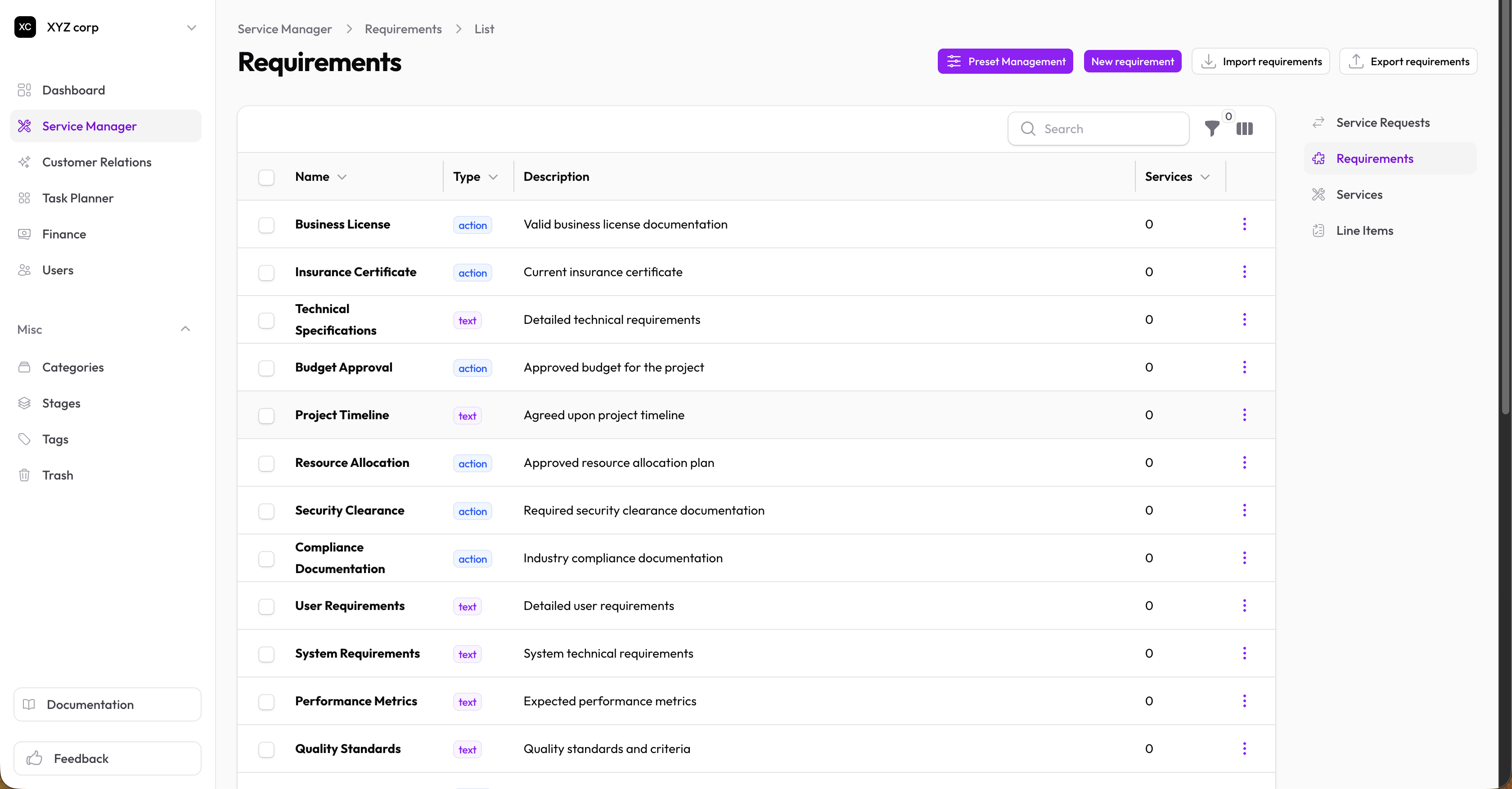
Requirements are documents or actions that clients must provide when requesting a service.
Types of Requirements
| Type | Use For |
|---|---|
| Text | Information the client types in (names, numbers, short answers) |
| Action | Tasks or documents (file uploads, external form completions) |
Creating a Requirement
- Go to Service Manager → Requirements
- Click New Requirement
- Fill in:
- Name — Clear description (e.g., "Proof of Identity", "Tax Number")
- Type — Text or Action
- Description — (For Action type) Instructions for what the client needs to do
- Click Create
Examples
| Name | Type | Description |
|---|---|---|
| Full Legal Name | Text | — |
| Phone Number | Text | — |
| ID Document | Action | Upload a clear photo of your government-issued ID |
| Signed Agreement | Action | Download, sign, and upload the service agreement |
Editing a Requirement
- Find the requirement in the list
- Click Edit
- Make changes and save
Deleting a Requirement
Click Delete to remove a requirement. This doesn't affect historical requests that already have it.
Using Requirements in Services
Once created, attach requirements to services:
- Edit a service
- In the Requirements section, add your requirements
- Set a Default Status for each (usually "Pending")
When clients request the service, these requirements are copied to their request.