
Account Ledger
The account ledger shows detailed transaction history for a specific account, including a running balance.
Accessing the Report
Go to Finance → Reports → Account Ledger
Using the Report
Selecting an Account
- Choose a Fiscal Year
- Select an Account from the dropdown
- The ledger displays all entries for that account
Reading the Ledger
| Column | Description |
|---|---|
| Date | Transaction date |
| Description | Transaction description |
| Reference | Transaction code or invoice number |
| Debit | Debit amount (if any) |
| Credit | Credit amount (if any) |
| Balance | Running balance after this entry |
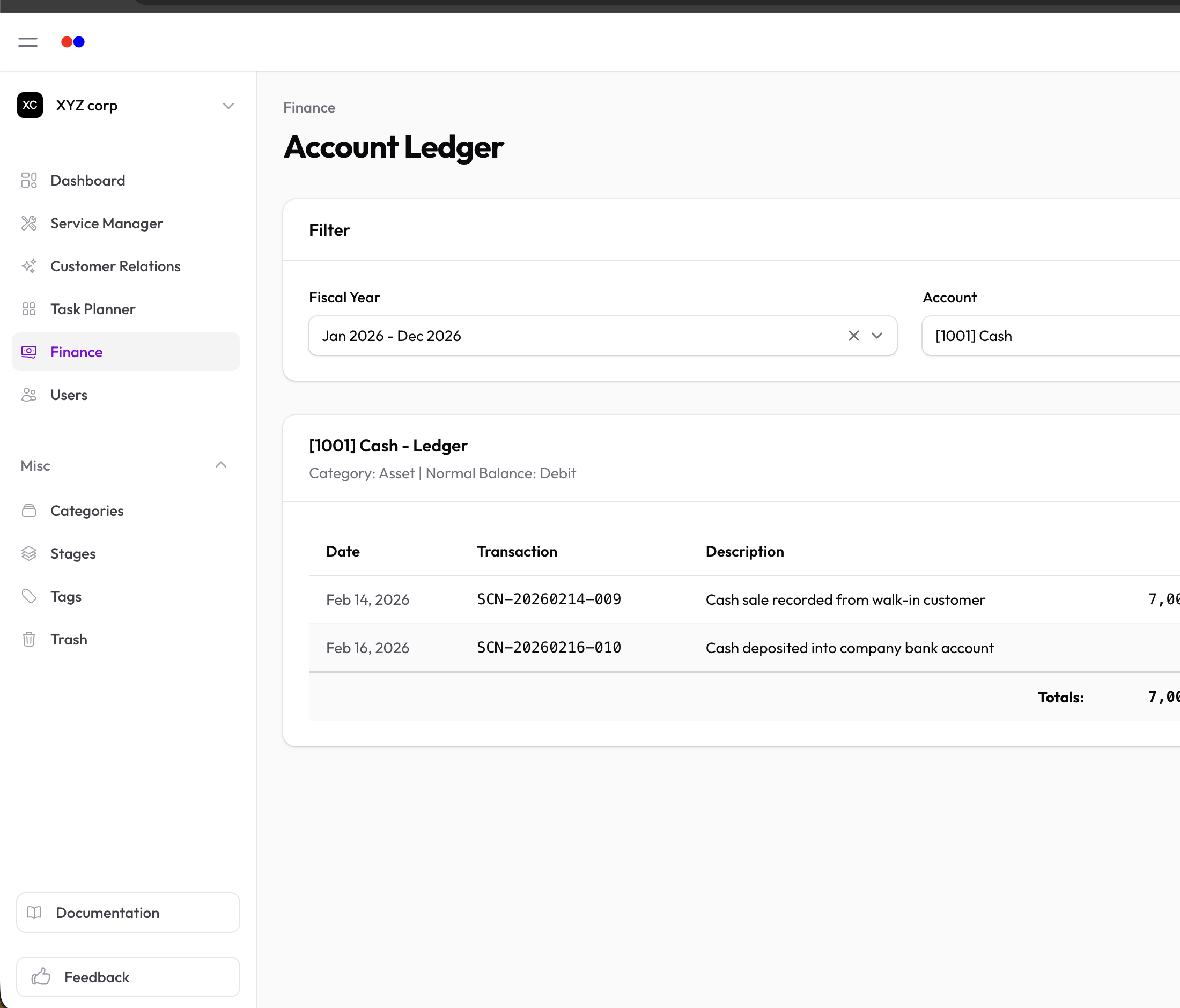
Running Balance
The balance column shows how each transaction affects the account:
- For debit-normal accounts (Assets, Expenses): Debits increase, credits decrease
- For credit-normal accounts (Liabilities, Income, Equity): Credits increase, debits decrease
When to Use
Review the account ledger to:
- Trace specific transactions
- Reconcile accounts
- Investigate discrepancies
- Audit account activity
- Understand how a balance was reached