
Trial Balance
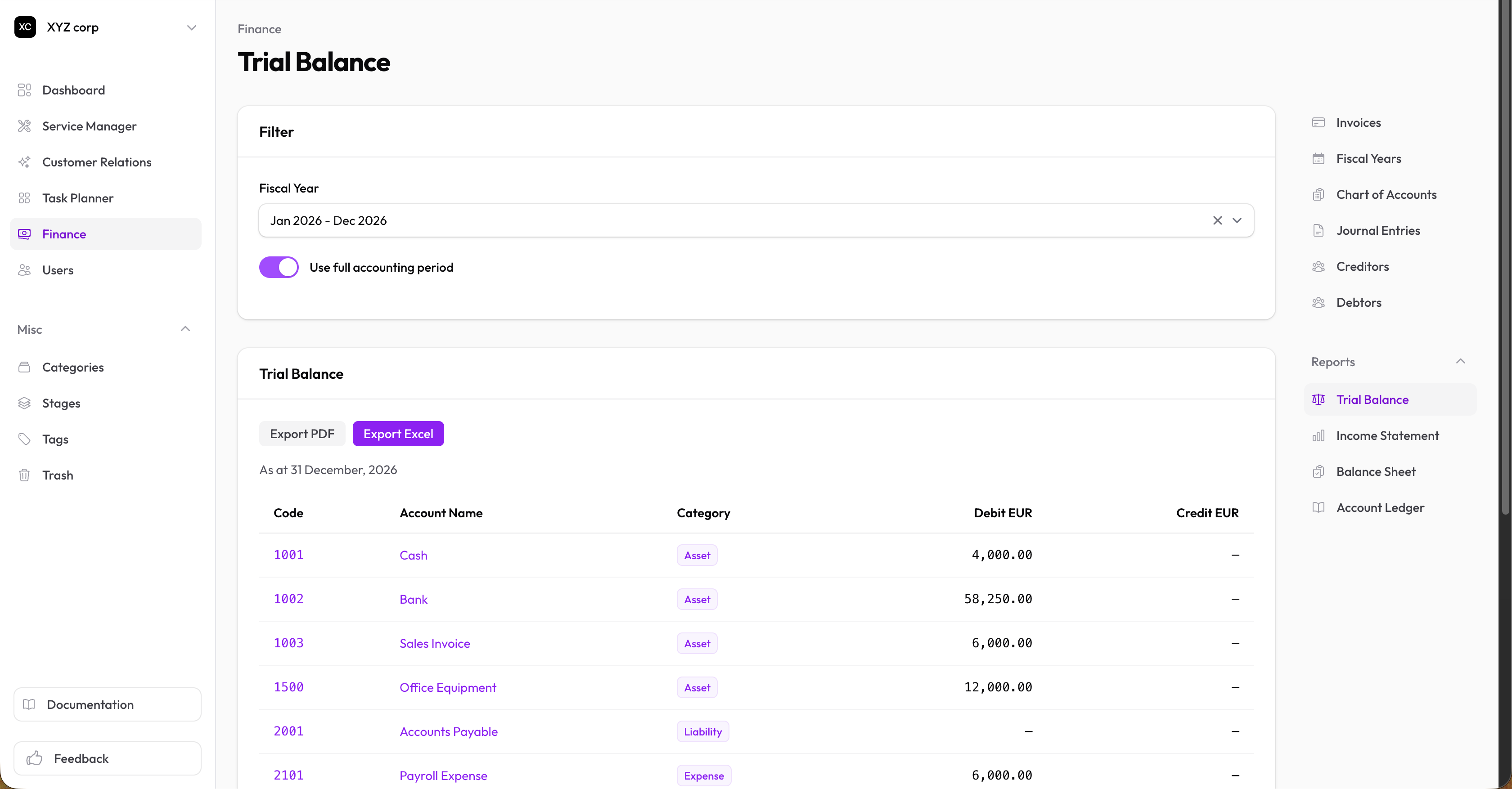
The trial balance verifies that your books are balanced by listing all accounts with their debit and credit balances.
Accessing the Report
Go to Finance → Reports → Trial Balance
Reading the Report
The report shows:
| Column | Description |
|---|---|
| Account Code | The account's code |
| Account Name | The account's name |
| Debit | Debit balance (if applicable) |
| Credit | Credit balance (if applicable) |
At the bottom:
- Total Debits — Sum of all debit balances
- Total Credits — Sum of all credit balances
Key Rule: Total Debits should equal Total Credits. If they don't, there's an error somewhere in your entries.
Filtering
Select a Fiscal Year to view the trial balance for that period.
Viewing Account Details
Click on any account to see all transactions affecting that account during the selected period.
When to Use
Generate a trial balance:
- Before preparing financial statements
- At period-end to verify accuracy
- When troubleshooting discrepancies
- As part of month-end or year-end close