
Financial Accounts
Financial accounts form your chart of accounts—the foundation of your accounting system.
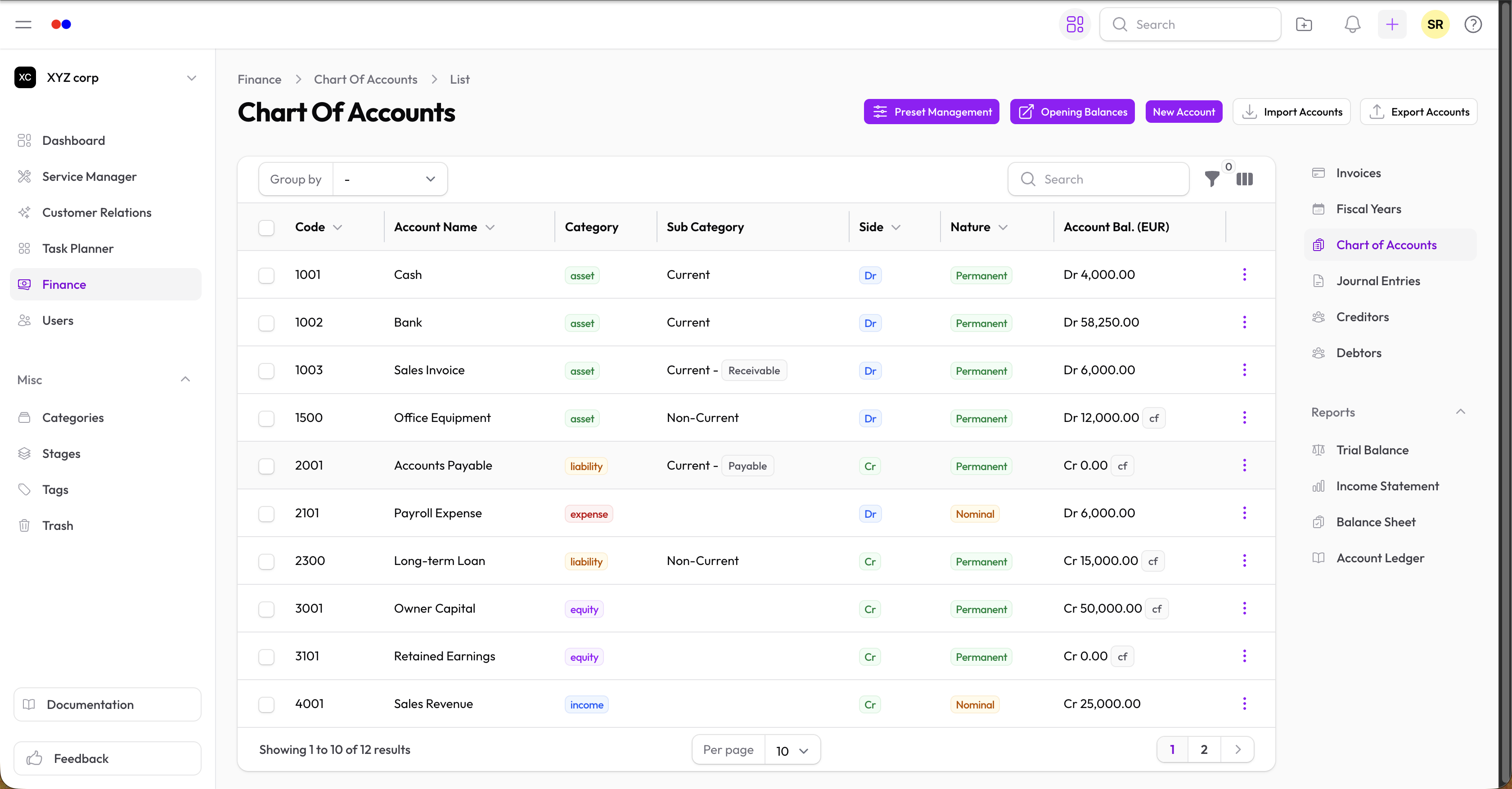
Account Categories
| Category | Normal Balance | Examples |
|---|---|---|
| Asset | Debit | Cash, Accounts Receivable, Equipment |
| Liability | Credit | Accounts Payable, Loans, Accrued Expenses |
| Income | Credit | Sales Revenue, Service Income, Interest |
| Expense | Debit | Salaries, Rent, Utilities |
| Equity | Credit | Owner's Capital, Retained Earnings |
Account Types
For Assets and Liabilities:
| Type | Description |
|---|---|
| Current | Short-term (within one year) |
| Non-current | Long-term (beyond one year) |
| Fixed | Property, plant, and equipment |
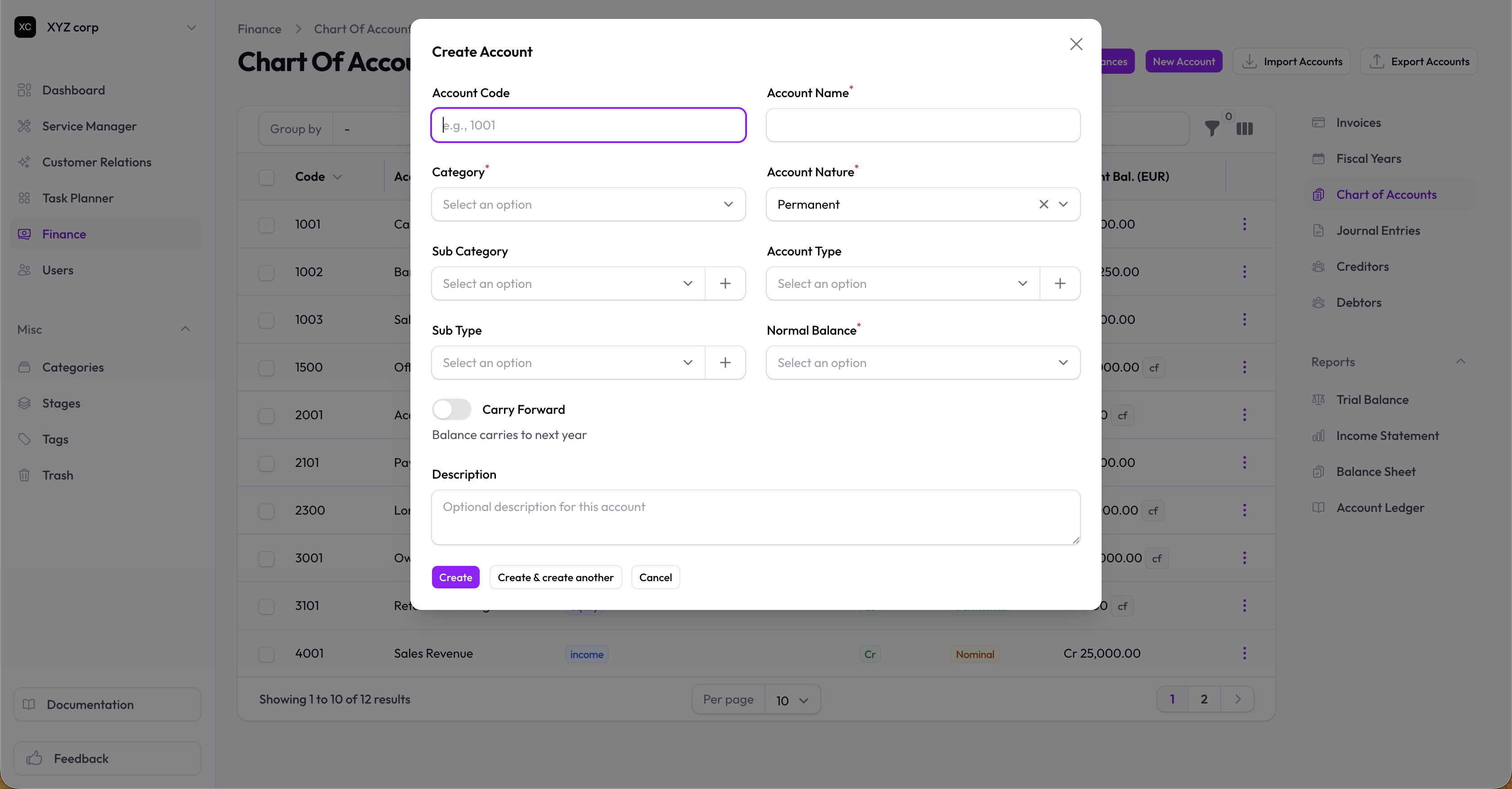
Creating an Account
- Go to Finance → Financial Accounts
- Click New Account
- Fill in:
- Code — Unique account code (e.g., 1001)
- Name — Account name
- Category — Asset, Liability, Income, Expense, or Equity
- Type — Current, Non-current, or Fixed (for assets/liabilities)
Special Flags
| Flag | Purpose |
|---|---|
| Receivable | Mark as accounts receivable |
| Payable | Mark as accounts payable |
| Carry Forward Balance | Balance carries to next year (for balance sheet accounts) |
Managing Accounts
Viewing Accounts
The table shows:
- Code
- Name
- Category
- Type
- Balance side (Debit/Credit)
Filtering
Filter by:
- Category
- Type
- Balance side
- Account nature (Permanent/Nominal)
Editing an Account
- Click on the account
- Click Edit
- Make changes and save
Note: System default accounts have limited editing options.
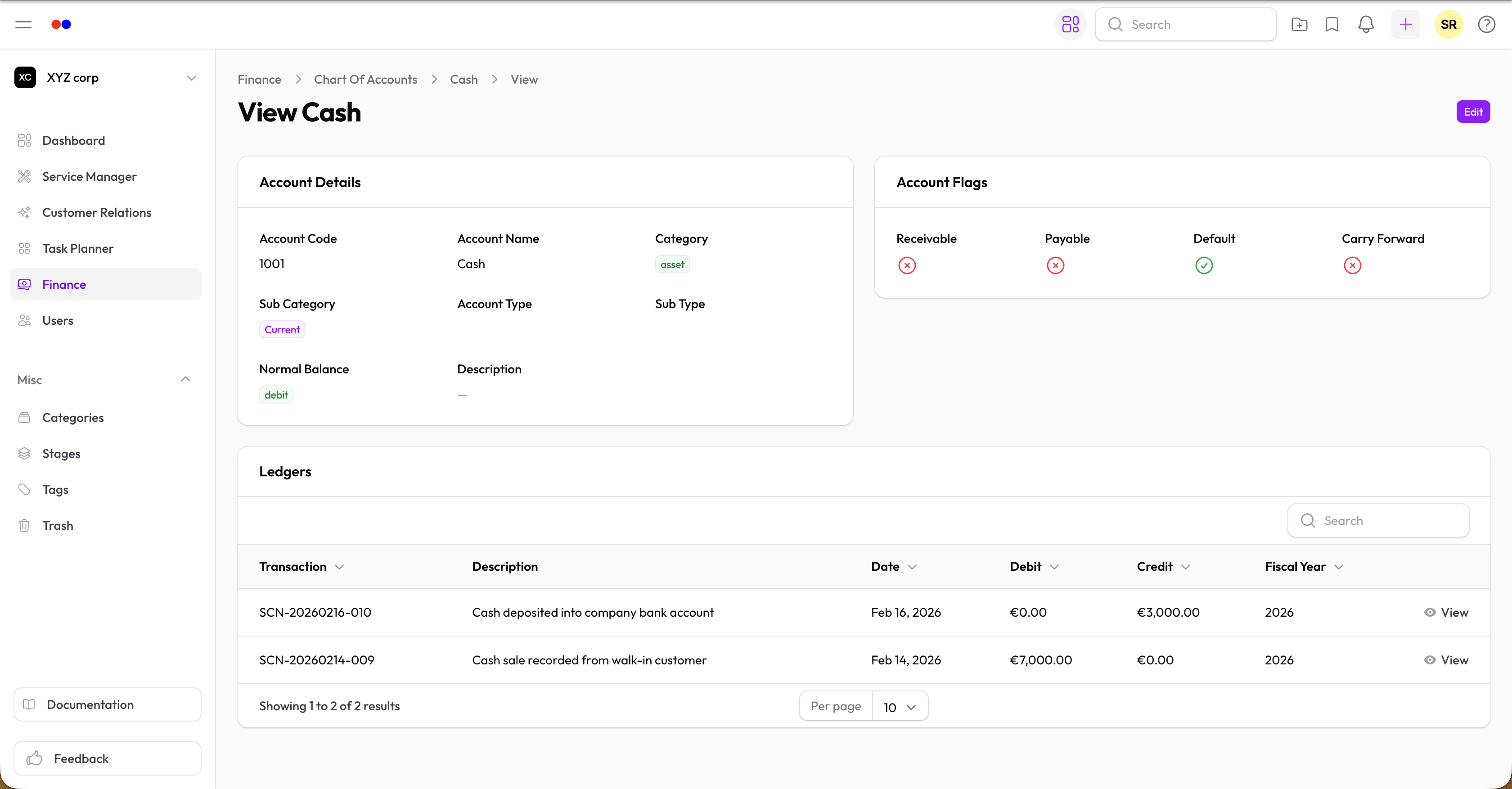
Viewing Ledger
Each account has a Ledgers tab showing all entries affecting that account.
Account Nature
| Nature | Description | Examples |
|---|---|---|
| Permanent | Balance carries forward | Assets, Liabilities, Equity |
| Nominal | Closes to retained earnings | Income, Expenses |