
Accounting Years
Accounting years (fiscal years) organize your financial records into periods for reporting and compliance.
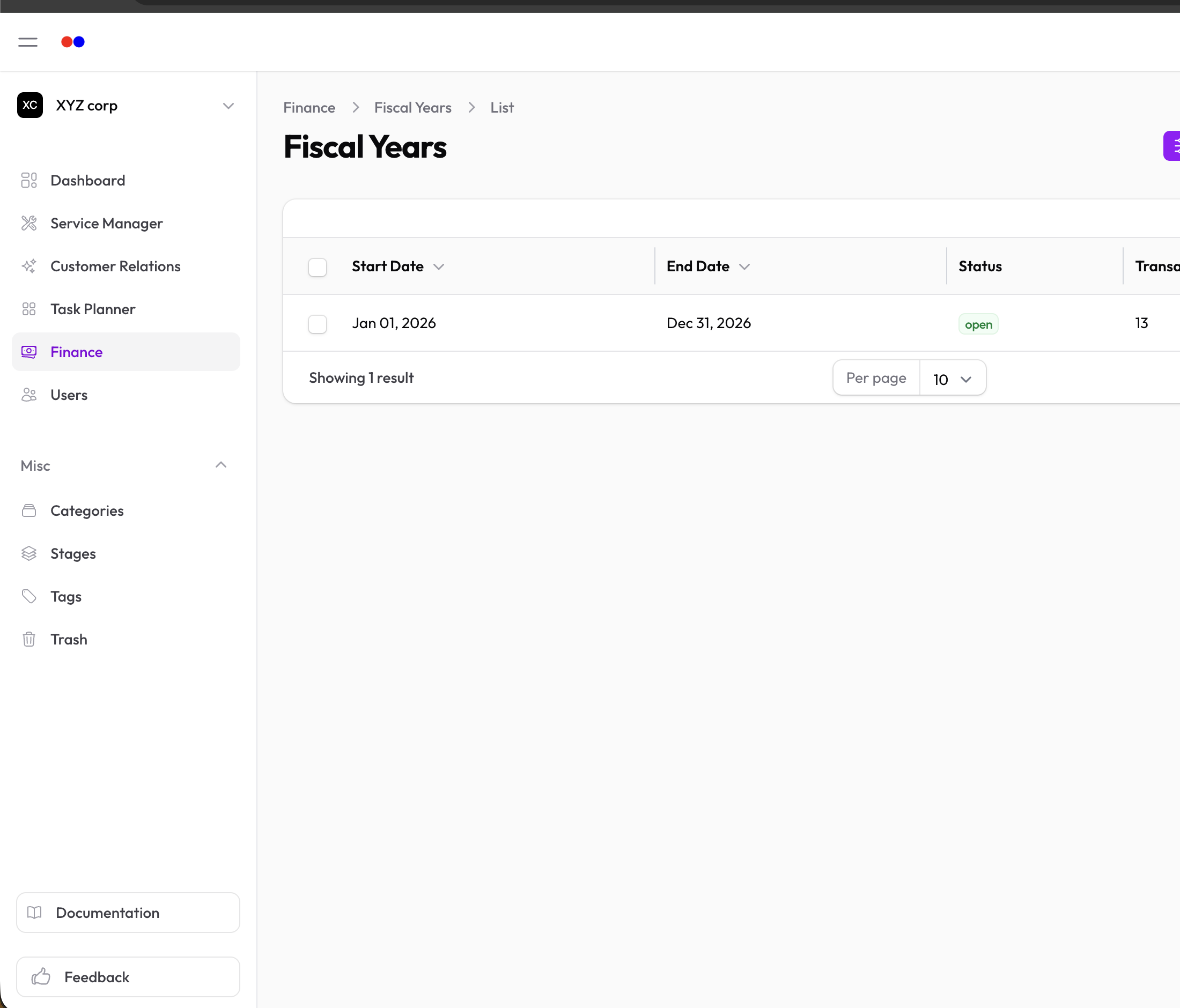
Statuses
| Status | Meaning |
|---|---|
| Open | Active year for recording transactions |
| Closed | Year-end completed, no new entries allowed |
Note: Only one accounting year can be open at a time.
Creating an Accounting Year
- Go to Finance → Accounting Years
- Click New Accounting Year
- Set the Start Date and End Date
- The year is created with "Open" status
Managing Accounting Years
Viewing
The table shows:
- Start and end dates
- Status
- Number of transactions
Closing a Year
When a fiscal year ends:
- Open the accounting year
- Click Close Year
- Confirm the action
What happens when you close:
- No new transactions can be added
- Account balances are frozen
- Retained earnings are calculated
- Balance-carrying accounts are prepared for the new year
Reopening a Year
If you need to make corrections:
- Open the closed accounting year
- Click Reopen Year
- Confirm the action
Warning: Reopening should only be done when necessary, as it affects year-end figures.
Transactions
View all transactions for an accounting year in the Transactions tab.
Deleting an Accounting Year
Only accounting years with no transactions can be deleted.