
Marketplace
The Marketplace is the public face of HollowPurple. Anyone — signed in or not — can browse organizations and the services they offer. If you publish your services, this is where the world finds you.
Visiting the Marketplace
Go to /marketplace in the app, or pick the marketplace link from the public navbar. You don't need to be signed in.
There are two views, controlled by the tab at the top:
- Services — every active service published to the marketplace, across all organizations
- Companies — every organization that has a public profile
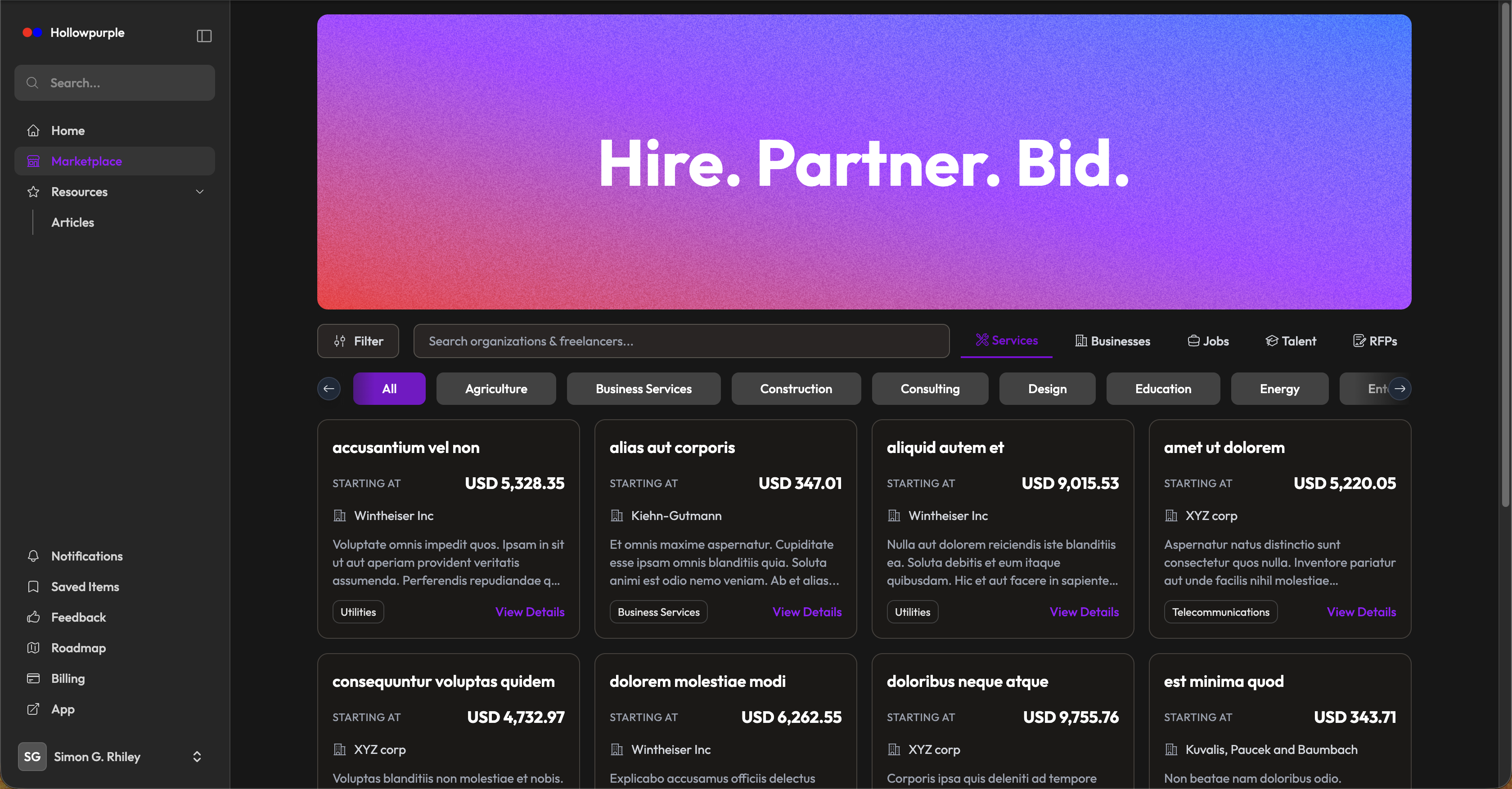
What People Can Filter By
| Filter | Description |
|---|---|
| Industry | Pick an industry (matches the industry on the company's profile) |
| Country | Only countries with at least one active organization |
| Price range | Min/max for service prices |
| Company size | 1–10, 11–50, etc. |
| Company type | Freelance, Corporation, LLC, Non-profit, etc. |
You can deep-link directly to a filtered view — for example, /marketplace?industry=consulting.
Viewing a Service
Click any service card to open its dedicated page (/marketplace/service/{service}). Visitors see:
- The service description, line items, and price
- The owning company and a link to its profile
- Verified-business badge if the company has been verified
Viewing a Company
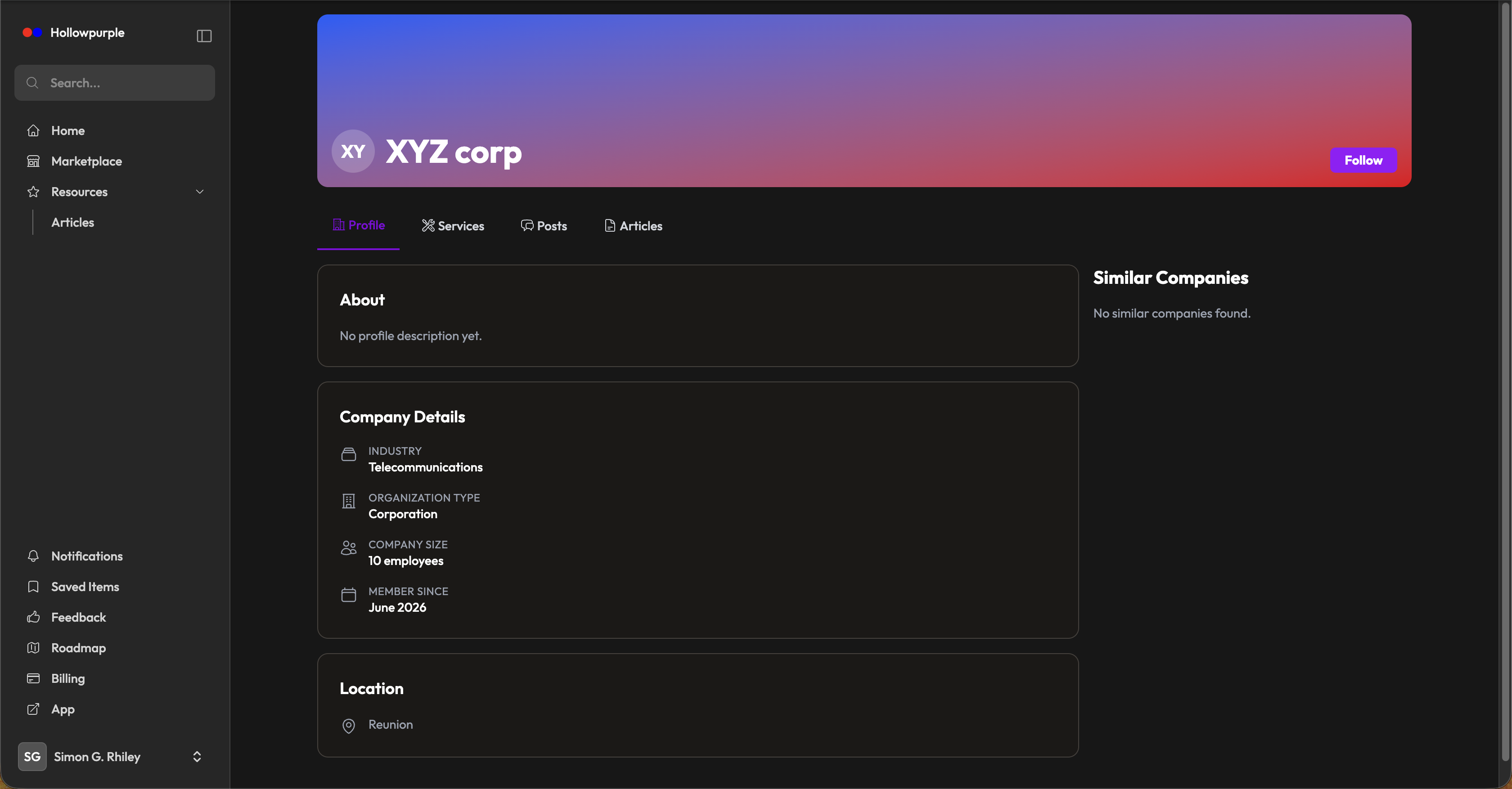
Click any company card to open its profile (/marketplace/company/{tenant}). Visitors see:
- Logo, brand color, name, industry, type, and size
- Contact details (phone, email, website) and address
- Opening hours — set in Organization Settings → Opening Hours
- The company's published services and articles
- Verified-business badge if applicable
Prices in Your Currency
Prices are shown converted to your own currency automatically — if you're signed in, that's the currency tied to your country; guests see prices in USD. The conversion uses daily exchange rates covering 160+ currencies, so what you see is a live estimate, not just a relabeled amount. All actual billing still happens in the seller's own currency — this is a display convenience only.
Getting Listed
You don't need to do anything special — every active Service automatically appears in the marketplace, and every organization with a profile shows up under Companies.
To make your listing more discoverable:
- Fill out Organization Settings completely (logo, brand color, about, industry, country)
- Set your opening hours
- Keep services active — inactive services are hidden
- Publish Articles that demonstrate expertise — they're visible from the company profile
- Apply for verification to get the trust badge
Tips
- The marketplace is an organic acquisition channel — keep your services and copy fresh.
- Use brand color to make your card distinctive.
- The price filter helps clients self-qualify — set realistic prices on services rather than leaving them at $0.