
Quick Notes
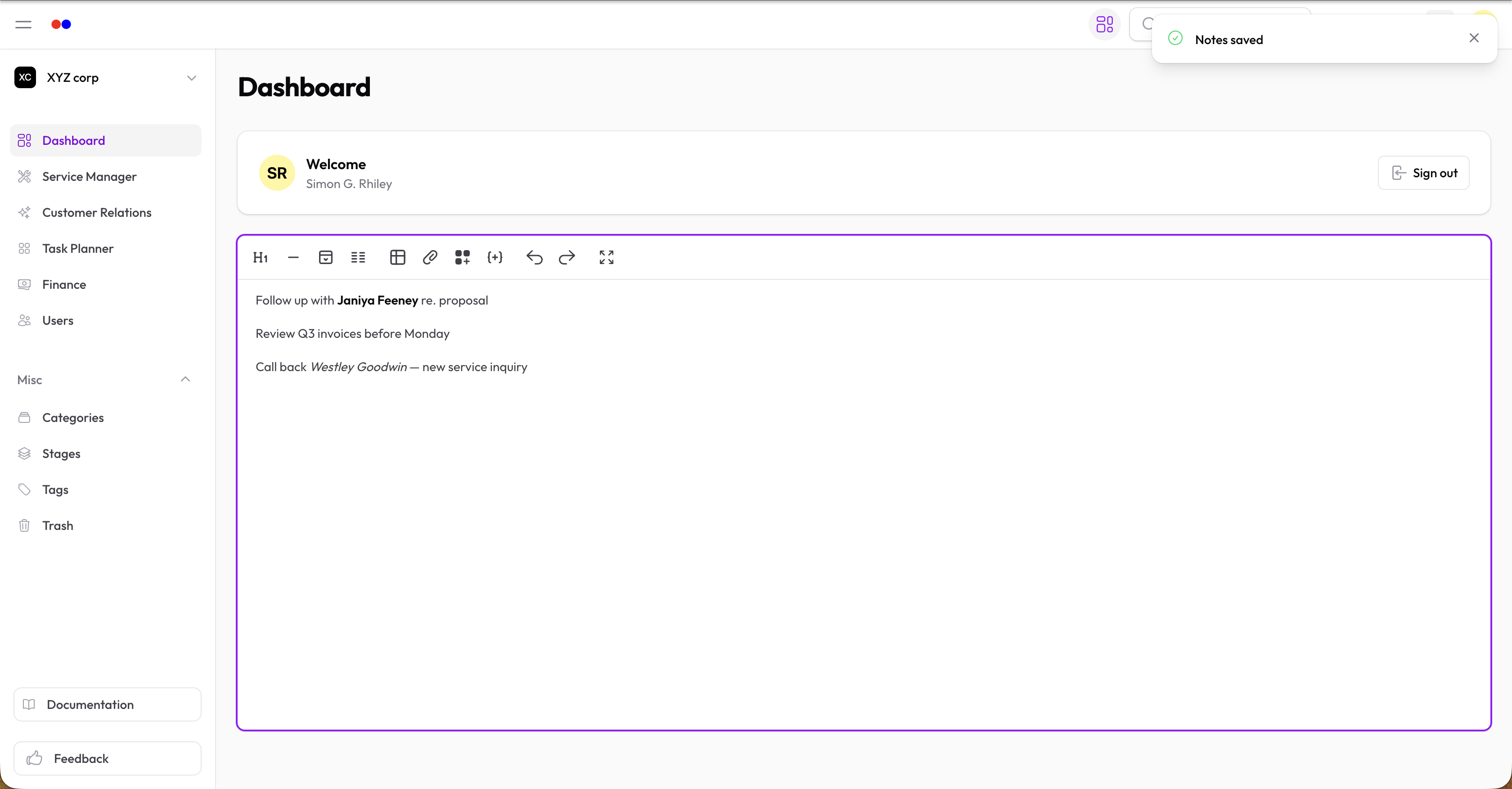
Quick Notes is a personal notepad on your dashboard for jotting down reminders, to-dos, or anything you need to remember.
Features
- Auto-save — Notes save automatically as you type
- Rich text — Format with headings, lists, bold, italic, and more
- Personal — Each user has their own notes
- Per-organization — Notes are separate for each organization you belong to
Using Quick Notes
- Go to your Dashboard
- Find the Quick Notes widget
- Start typing — your notes save automatically
Formatting Options
The editor supports:
- Text formatting — Bold, italic, underline, strikethrough
- Headings — H1, H2, H3
- Lists — Bullet and numbered lists
- Links — Add hyperlinks to text
- Code — Inline code and code blocks
- Quotes — Block quotes
- Tables — Insert and edit tables
- Colors — Text color and highlighting
Toolbar
Use the toolbar buttons or floating toolbar (appears when you select text) to format your notes.
Press Cmd + Shift + F (Mac) or Ctrl + Shift + F (Windows/Linux) to toggle fullscreen mode.
Tips
- Use Quick Notes for daily task lists
- Keep important reference information handy
- Draft messages before sending
- Jot down meeting notes
Quick Notes is always just one click away on your dashboard.